Customer reviews are one of the biggest, most underused goldmines in marketing. Buried in them is exactly what your customers love, what frustrates them, and which specific parts of your product or service move the needle, all in their own words, at a scale no human could read through. This is a hands-on walkthrough: by the end you will have taken a pile of raw reviews and turned them into a dataset of entities, sentiment, emotion and moderation flags, then into decisions. Let’s build it step by step.
On this page
What you’ll build
This project marries five techniques into one analysis, which is what makes it so powerful.
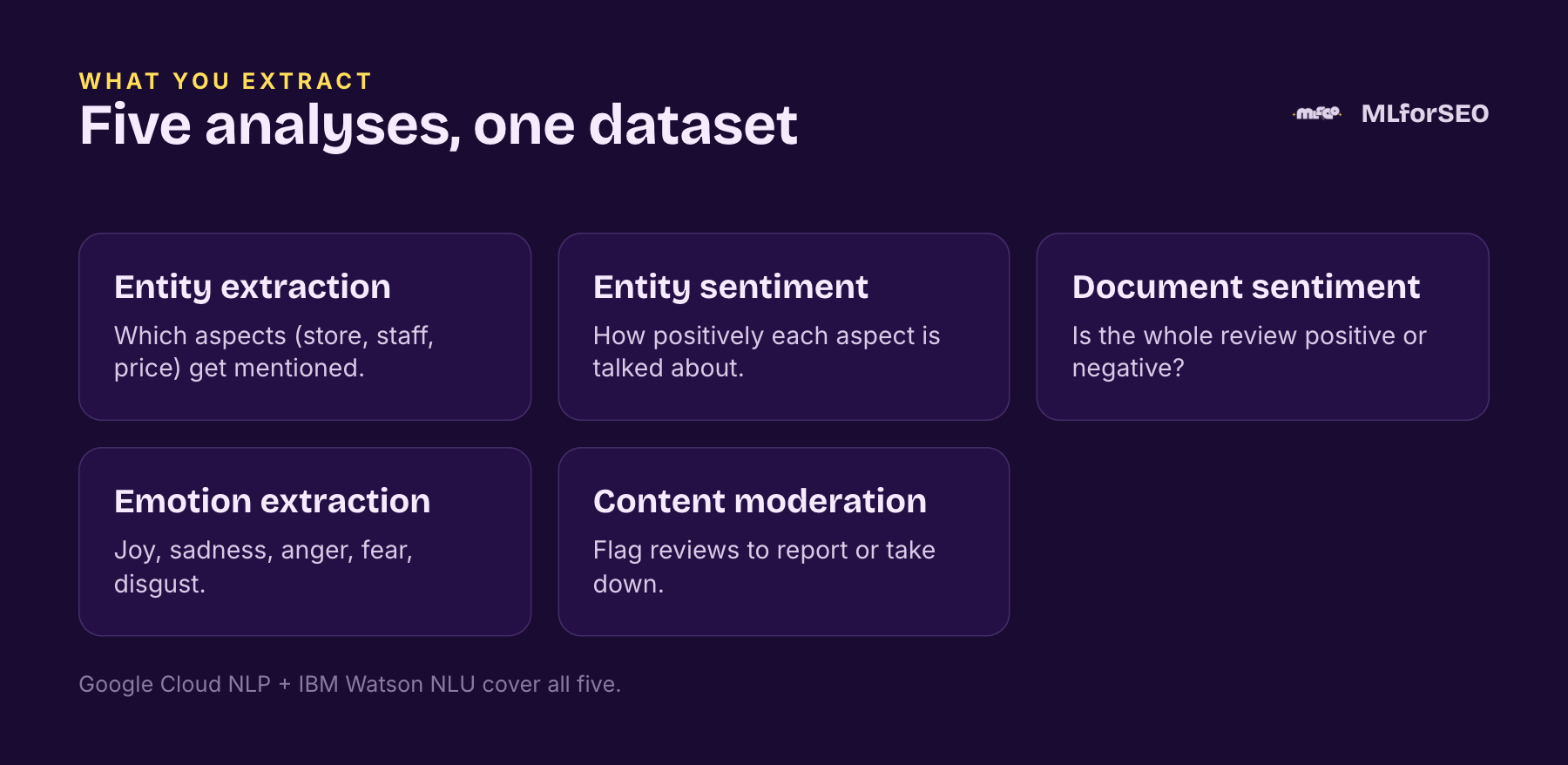
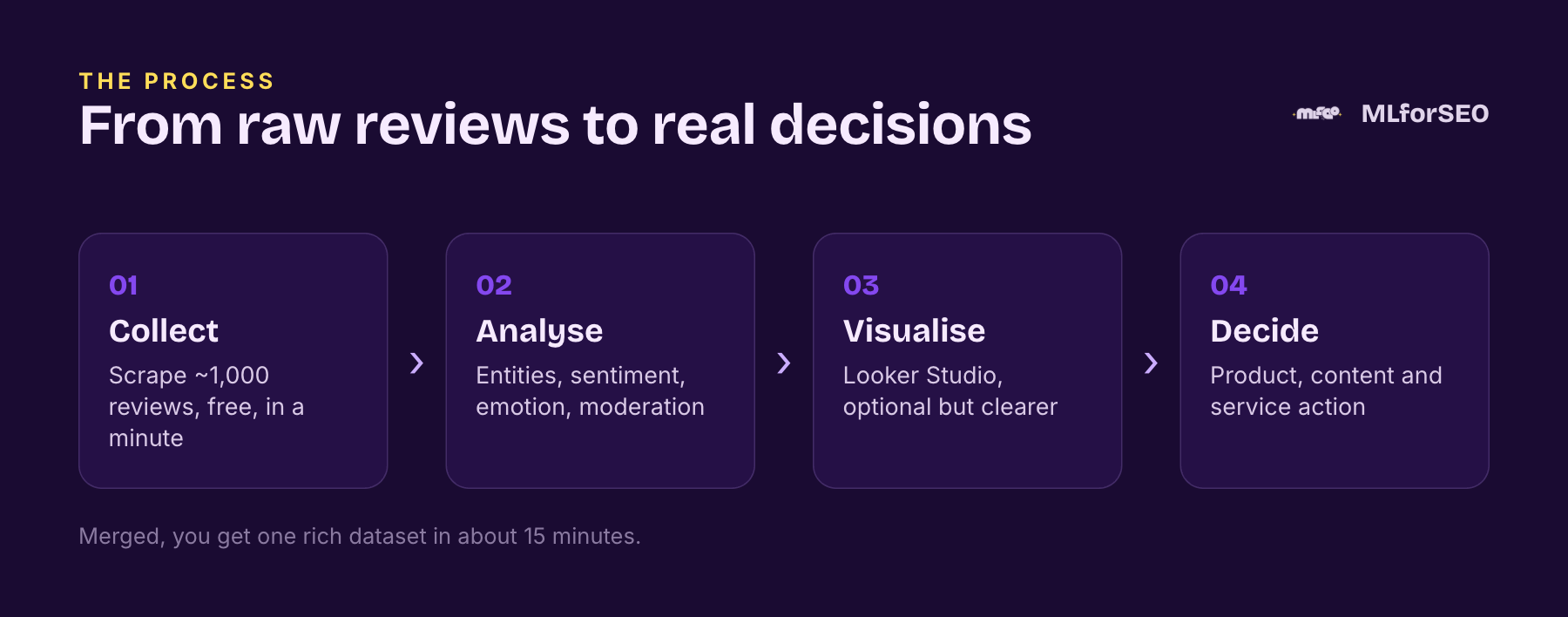
You will run entity extraction and entity sentiment (which aspects, store, staff, price, delivery, are mentioned, and how positively), document-level sentiment (is the whole review positive or negative, and how strongly), emotion extraction (joy, sadness, anger, fear, disgust), and content moderation (flagging reviews to report). Two APIs cover all of it: Google Cloud Natural Language API for entities, entity sentiment, document sentiment and moderation, and IBM Watson NLU for document sentiment (with a handy “mixed sentiment” flag) and emotion. The whole thing follows four steps.
Update (October 2026): IBM deprecated Watson Natural Language Understanding on 31 July 2026, and the service will be removed from IBM Cloud on 31 January 2028 (IBM release notes). IBM asks existing customers to migrate before then, with Watson Natural Language Processing in watsonx.ai as its suggested route. The IBM modules below still work for existing accounts, but for new projects plan the document-sentiment and emotion steps around another provider.
Step 1: Collect the reviews
Identify where your customers review you, Amazon, G2, Google Business Profile, and scrape them. The quickest no-code route is the free Instant Data Scraper Chrome extension. Open the reviews on a Google Maps profile, launch the extension, and click Start Crawling; it auto-clicks through to load more reviews and collects them into a table. The free version pulls up to 1,000 reviews, and it is fast, in the demo we scrape ~1,000 Primark reviews in under a minute, then download to CSV.
Then do a light clean: keep only the columns you need. For the walkthrough I keep three, reviewer, review date and review text, rename the headers for clarity, and save. That is your input dataset.
A note on what a scraper like this actually gives you: alongside the review text you typically pull the reviewer’s name and profile, their total review count, links to any photos they attached, a direct “report” link (invaluable for the moderation step later), and how long ago the review was posted. Keep the columns that serve your analysis and drop the rest, and rename the headers so your downstream functions find them. This light cleaning step is boring and completely essential; skip it and every module downstream inherits the mess.
Step 2: Run the analysis
You can do every module with the free no-code MLforSEO Google Sheets templates, our entity extraction, sentiment analysis and content moderation guides all work by pasting content and entering a formula. But the tidier way is a single Google Colab notebook where each analysis is a function you run only if you need it. The structure looks like this:
# 1. Authentication and setup — paste your API keys once
GOOGLE_API_KEY = "..."          # Google Cloud Natural Language API
IBM_API_KEY    = "..."          # IBM Watson NLU
IBM_SERVICE_URL= "..."

# 2. Run only the modules you need — each takes your CSV, returns a CSV
entities_and_entity_sentiment(reviews_csv)   # Google Cloud
document_sentiment_google(reviews_csv)       # Google Cloud
document_sentiment_ibm(reviews_csv)          # IBM (adds a "mixed sentiment" flag)
emotion_analysis_ibm(reviews_csv)            # IBM: joy, sadness, fear, disgust, anger
content_moderation_google(reviews_csv)       # Google Cloud: 16 safety categories

# 3. Merge every output CSV into one Google Sheet for reporting
merge_all_results()
Wrapping each module as its own function is deliberate: on Google Business Profile you have a direct report link so content moderation matters, but on another platform you might skip it. Run only what is relevant. Here is what each returns, so you know what you are getting:
Entities and entity sentiment gives you, per review, each entity’s type, salience (importance), sentiment score and magnitude, mention count, and metadata. Document sentiment (Google) returns a score, polarity and a category label with intensity. Document sentiment (IBM) returns a score and label plus that useful mixed-sentiment flag. Emotion (IBM) returns five scores, sadness, joy, fear, disgust, anger. Content moderation (Google) flags each review across 16 safety categories with confidence scores. Merged, that is one rich dataset from a thousand reviews in about 15 minutes.
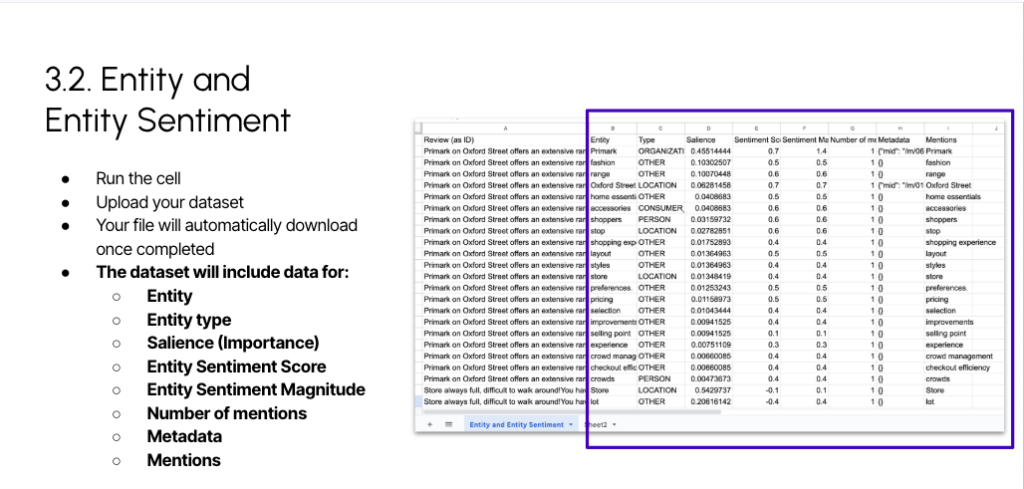
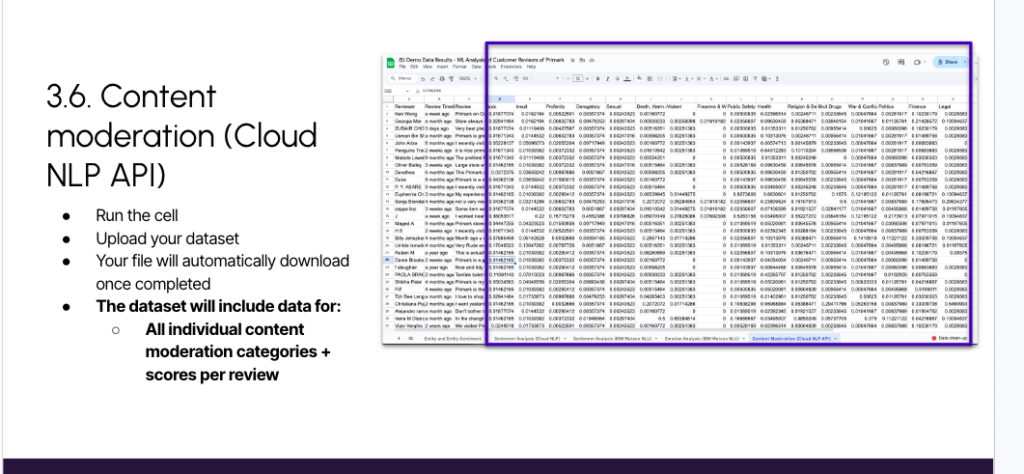
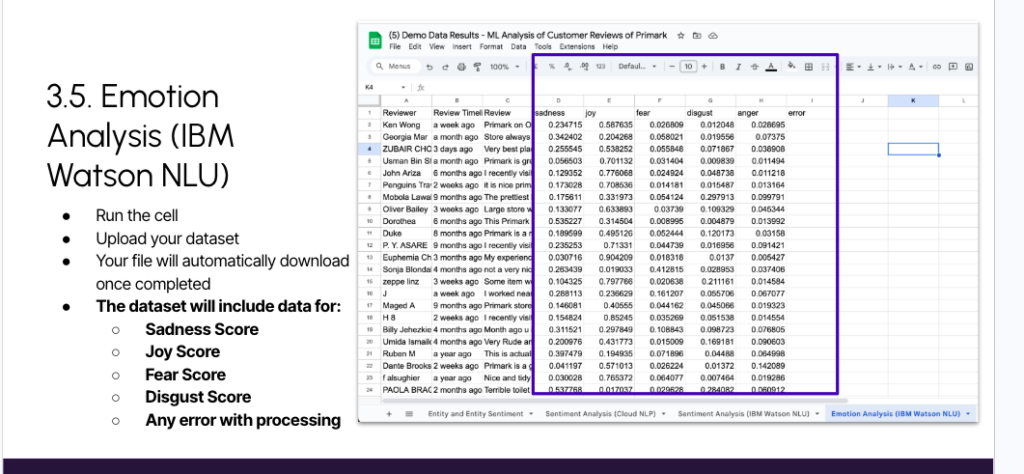
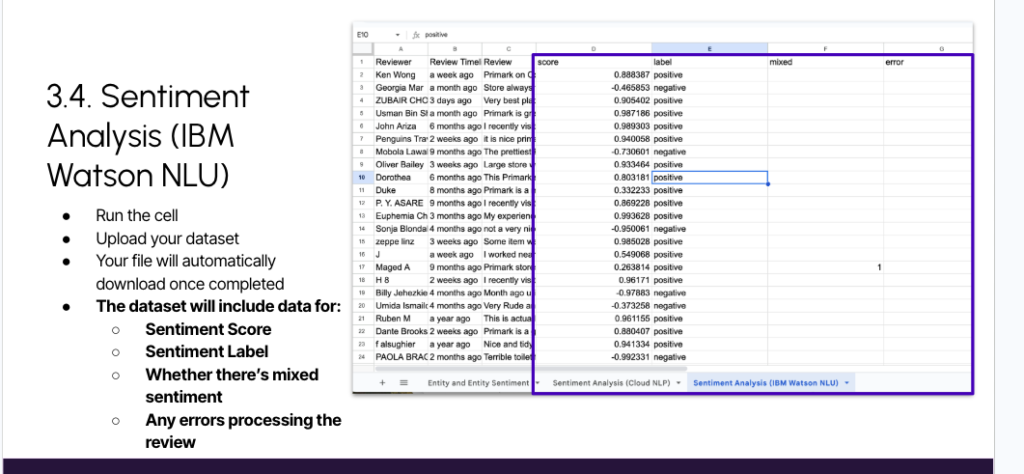
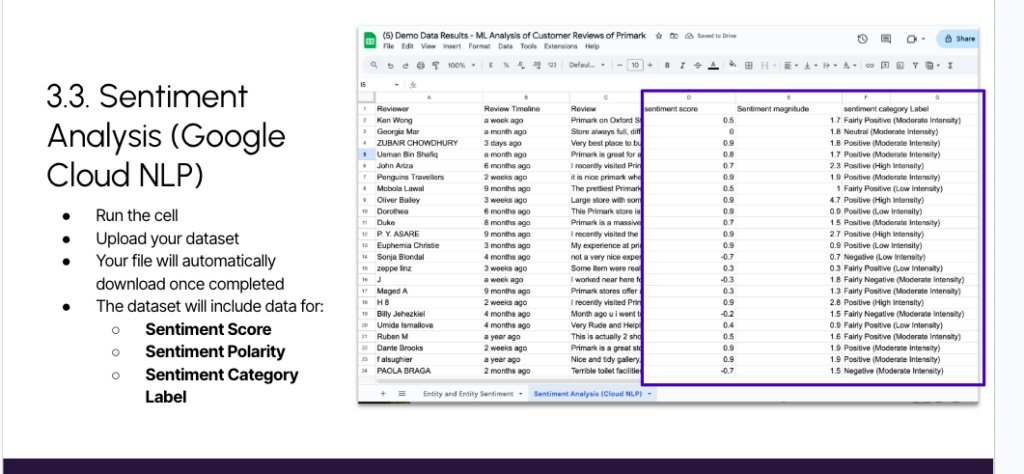
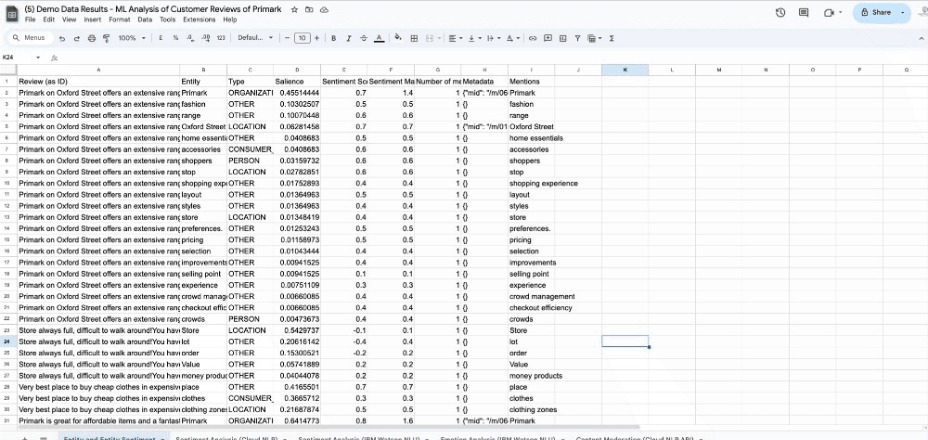
The real power is in combining these layers. Document sentiment tells you a review is negative; entity sentiment tells you what in it is negative, the store, the staff, the price, the delivery; emotion tells you the register (is the customer angry, or just disappointed?); and moderation flags whether it crosses a line you need to report. One review, five lenses. Do that across a thousand reviews and you move from “our rating dropped” to “our rating dropped because the ground-floor experience at one location generated a cluster of angry reviews about staff and queueing”, which is something a product or operations team can actually act on. Note too that the two sentiment APIs sometimes disagree, and that IBM’s mixed-sentiment flag catches reviews that are genuinely both positive and negative, being able to show a stakeholder how two models classified the same text is itself a useful, trust-building output.
Step 3: Visualise and explore
Visualising is optional but makes reporting far easier. The demo Data Studio (formerly Looker Studio) report has four pages, one per analysis, that connect straight to your merged sheet.
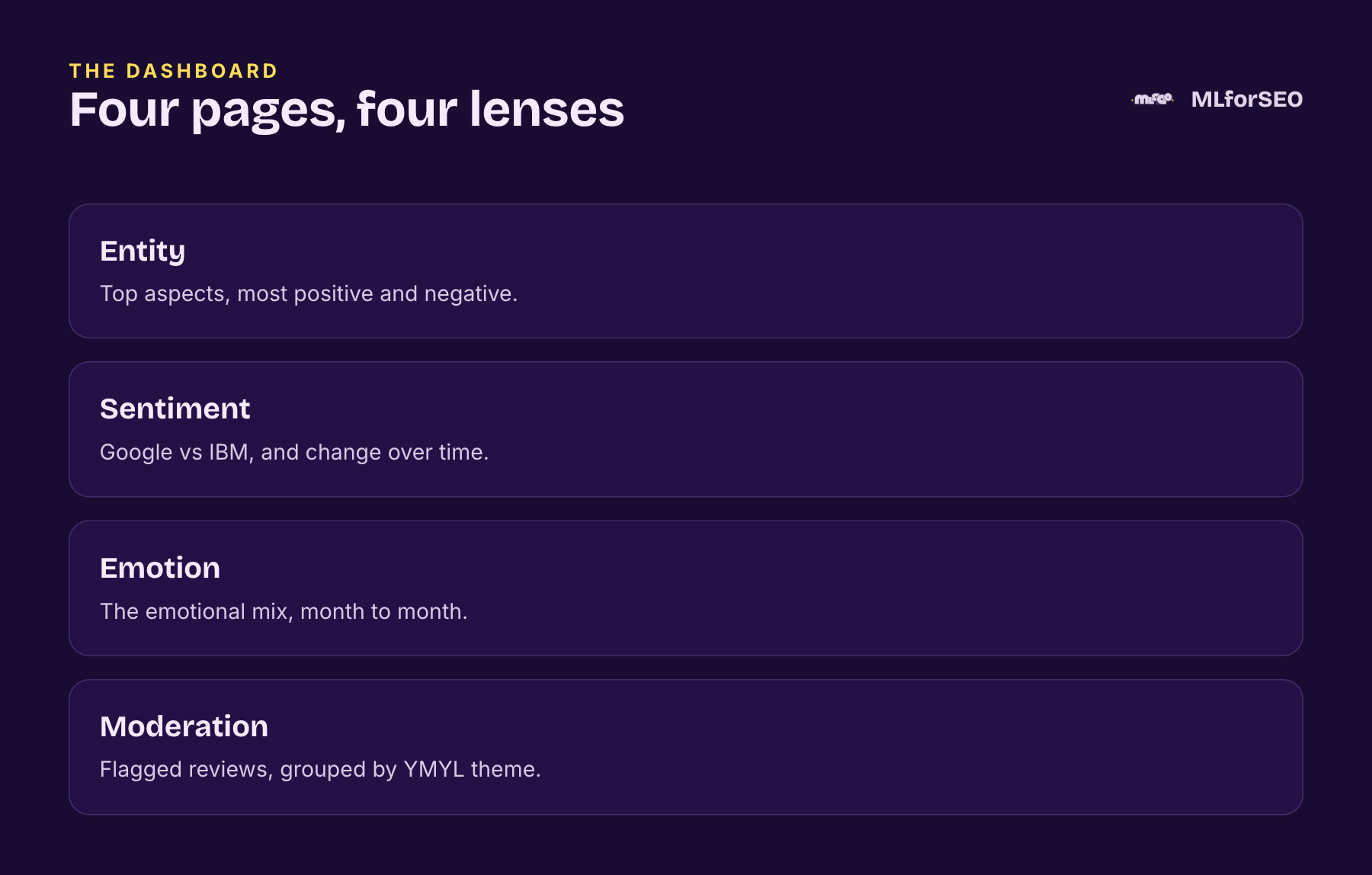
Here is how you actually use it, with a real example from the Primark data. On the entity page, filter to negative reviews only and look at the most-mentioned entities: store, quality, staff, customers. The top entities by importance surface a theme immediately, the recurring complaint is mess and a lack of tidying. Drill into the “person” entity within those negative reviews and read the exact text: one flags an incident with pickpockets, another describes overhearing an unpleasant manager conversation, both are specific, actionable customers you could reach out to.
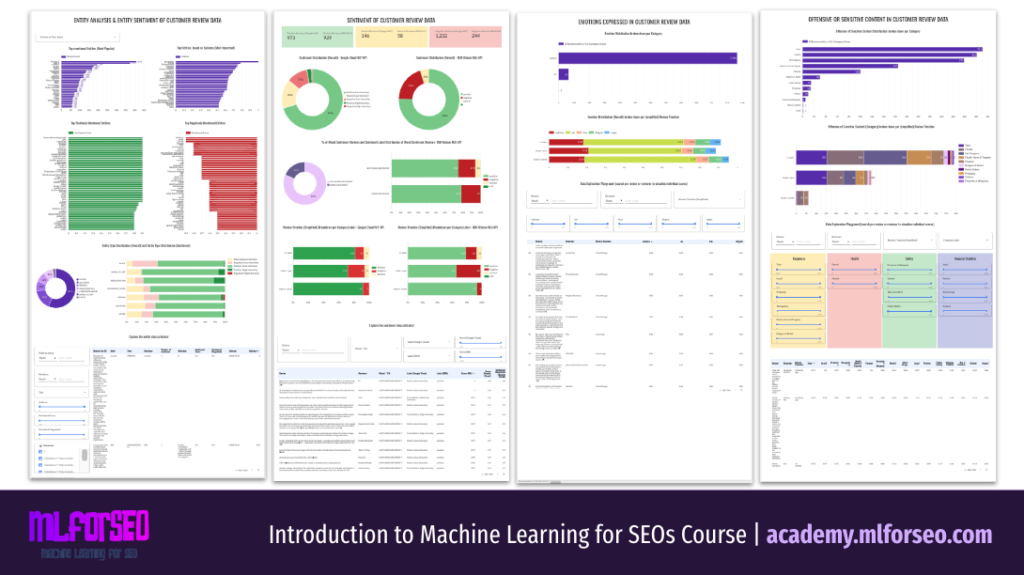
The sentiment page compares how Google and IBM classified each review, shows the mixed-sentiment breakdown, and tracks sentiment over time. The emotion page filters reviews scoring above 0.4 on sadness, joy, fear, disgust or anger, and shows the mix shifting month to month (in the demo, more positive sentiment recently than a year ago). The content moderation page groups flagged reviews by category, I organise them by the four Your Money or Your Life themes, so you can quickly find the ones to report, using the Google Business Profile report link to automate that step.
One caution I always give: these are exploratory dashboards, and the model is not always right. A review flagged “religion” might simply say “paradise” or “blessed”. Always keep a human review step before you act on a flag.
Step 4: Turn it into decisions
Pretty charts are not analysis. Interrogate the data with questions like these. On entities: which are consistently negative or positive, what is the entity-type distribution, are customers comparing you to named competitors (check the metadata column)? On sentiment: do Google and IBM disagree, are reviews mostly positive or negative, has sentiment improved over time, does review length correlate with score? On emotion: which emotions dominate, are there spikes after a policy change (pair with your internal events data)? On moderation: what proportion needs reporting versus just a service response, and do flagged categories differ by location? The trick is to always tie a finding to an owner and an action. A consistently negative entity like “checkout” is a UX and CRO ticket. A spike in “sadness” or “anger” after a policy change is a comms problem, pair it with your internal events calendar to confirm the cause. A cluster of positive mentions of a named staff member is a recognition opportunity, and a story for your employer-brand content. Reviews that trip content moderation get triaged: some you report and take down, others you simply respond to for service recovery. Answering these questions is how review analysis becomes product strategy, content direction and reputation management, not just a report, and doing it routinely is exactly the kind of cross-team value that makes you the person who champions machine learning inside your organisation.
Free templates + full walkthrough
The free Google Sheets and IBM Watson templates get you started today. The full annotated Colab notebook, the demo Primark dataset and the Data Studio dashboard live in the Entity Extraction and Analysis module of the Introduction to Machine Learning for SEO course.
Where to Take Review Analysis Next
The same techniques work on any first-party text, call transcripts, support emails, feedback forms. For the foundations, read what entity extraction is and where it fits in SEO, and to pick the right tool, which NLP API to use.
Related glossary terms
MLforSEO Academy
Take your skills further — pick your path
Introduction to Machine Learning for SEO
by Lazarina Stoy
Ship practical ML workflows — classification, clustering, entity extraction — no CS degree required.
View course →AI Search Optimisation & Agentic SEO
by Beatrice Gamba
How agentic systems retrieve, evaluate and select — and how to become the source they cite.
View course →AI Search, LLMs, Entity SEO & Knowledge Graph Strategies
by Beatrice Gamba
Build the entity authority and knowledge-graph presence that makes AI recognise and trust your brand.
View course →Semantic ML-enabled Keyword Research
by Lazarina Stoy
Query understanding, search intent and semantic clustering for how people and AI really search.
View course →