 By Beatrice Gamba· August 12, 2026
Agents do not throw errors when your site defeats them. They just leave, and your analytics record a bored human. Let’s look at where the traffic actually goes.
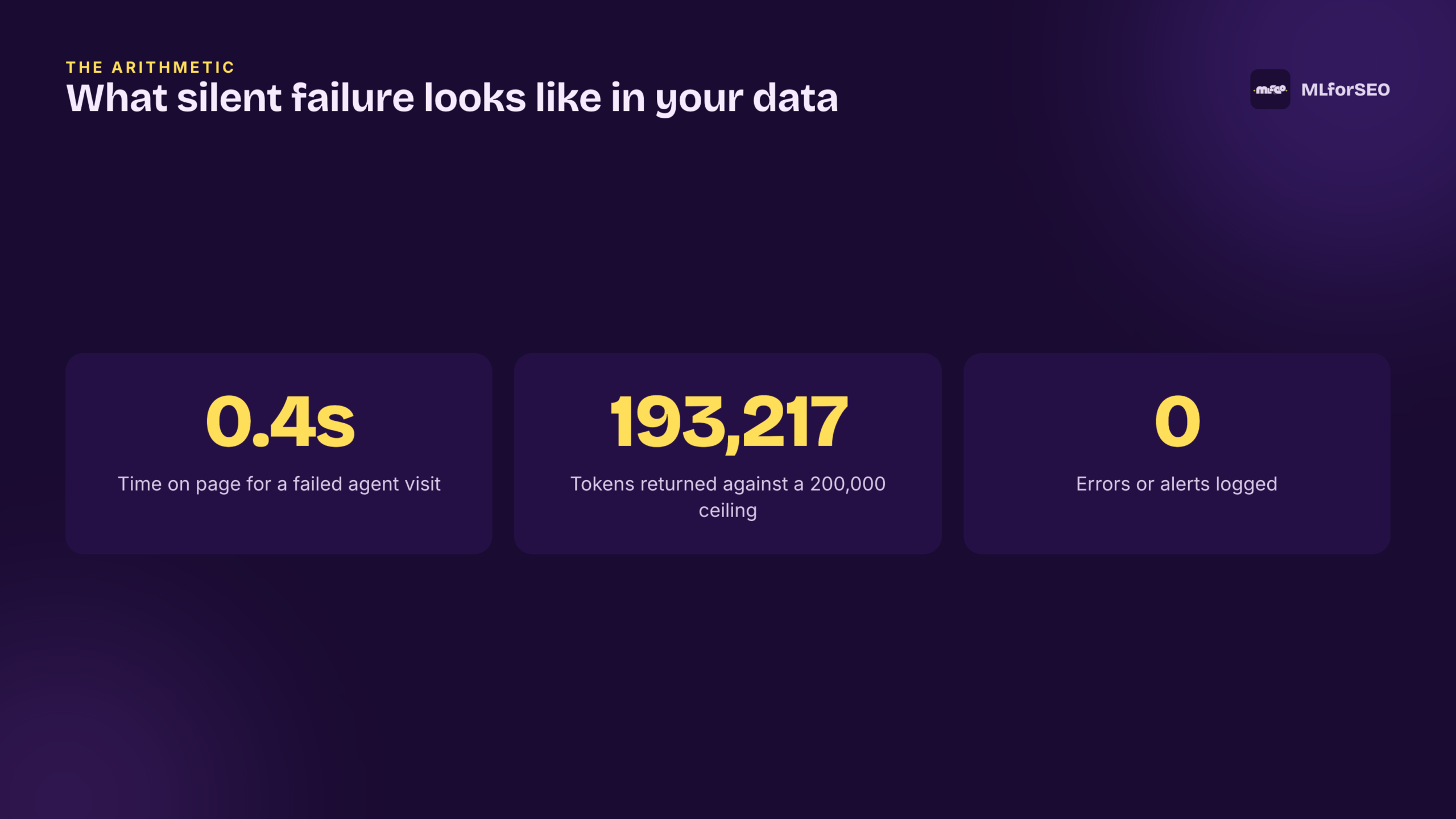
Let’s start with a visit that already happened on your site this week. An AI agent, sent by someone asking ChatGPT or Perplexity for a waterproof hiking jacket under $150, arrived on one of your product pages. It stayed for 0.4 seconds. Scroll depth zero. Bounce, one hundred percent. In your analytics that line is indistinguishable from a distracted human who mistyped a URL, so you scroll past it, of course.
But it was not a human. It was an agent that could not read your page, and here is the part most practitioners never register: nothing errored. No alert fired. No log recorded a failure. The agent moved on to a competitor, the recommendation was made without you in it, and the business quietly lost a sale it never knew it was in the running for. This is not a rare edge case. It is the default state of the web right now.
I want to name this properly, because you cannot fix a problem your dashboards are designed not to show you. Traditional web analytics were built to watch human attention. Agents do not have attention. They have a token budget, and if your site blows past it, or blocks them at the door, or buries the answer, they fail in complete silence. Let’s dive into where that silence comes from.
Silent failure is not a bug, it is the resting state
When a human hits a broken page, they see the break. They get a 404, a spinner that never resolves, a paywall. The failure is legible, and often it is loud enough that someone tells you about it. An agent gets none of that. When it cannot parse your page or cannot fit it, it does not stop and complain. It discards what it could not use and produces an answer from whatever it could, which frequently means a competitor’s page or, worse, a plausible-sounding hallucination that names a product you do not sell.
The concrete version, from the course: a page comes back at 193,217 tokens against a context window that holds 200,000. The agent does not summarise the overflow gracefully. It truncates, and the truncated part is silently gone. Your logs show the 0.4-second visit. Nobody gets an error message, nobody gets an alert, and the only artefact of the whole event is a line in your analytics that looks exactly like a bored person. That is why I keep repeating it: silent failure is the resting state, and the only thing that has changed is whether your site was built for this kind of visitor.
Agents parse tokens against a hard budget, so measure yours
A token is the smallest unit of text a model processes. Roughly four characters, roughly three-quarters of a word. The word authentication is about three tokens; API is one; a full URL can be ten. None of this is trivia, because every agent that reads your site is reading against a fixed ceiling, and past the ceiling content is not condensed, it is cut.
You can measure any page today, and I mean today, without a single tool. Open your homepage, select all, copy it into a plain text editor, look at the character count, divide by four. That number is your page’s approximate token footprint. The working budgets I teach are direct: product and category pages under 15,000 tokens, specification and comparison pages up to 25,000, and anything north of 25,000 tokens should be restructured before you do anything else. If your homepage comes back at 60,000 characters, that is roughly 15,000 tokens, which is fine. If it comes back at 140,000 characters, you have a problem you could not previously see.
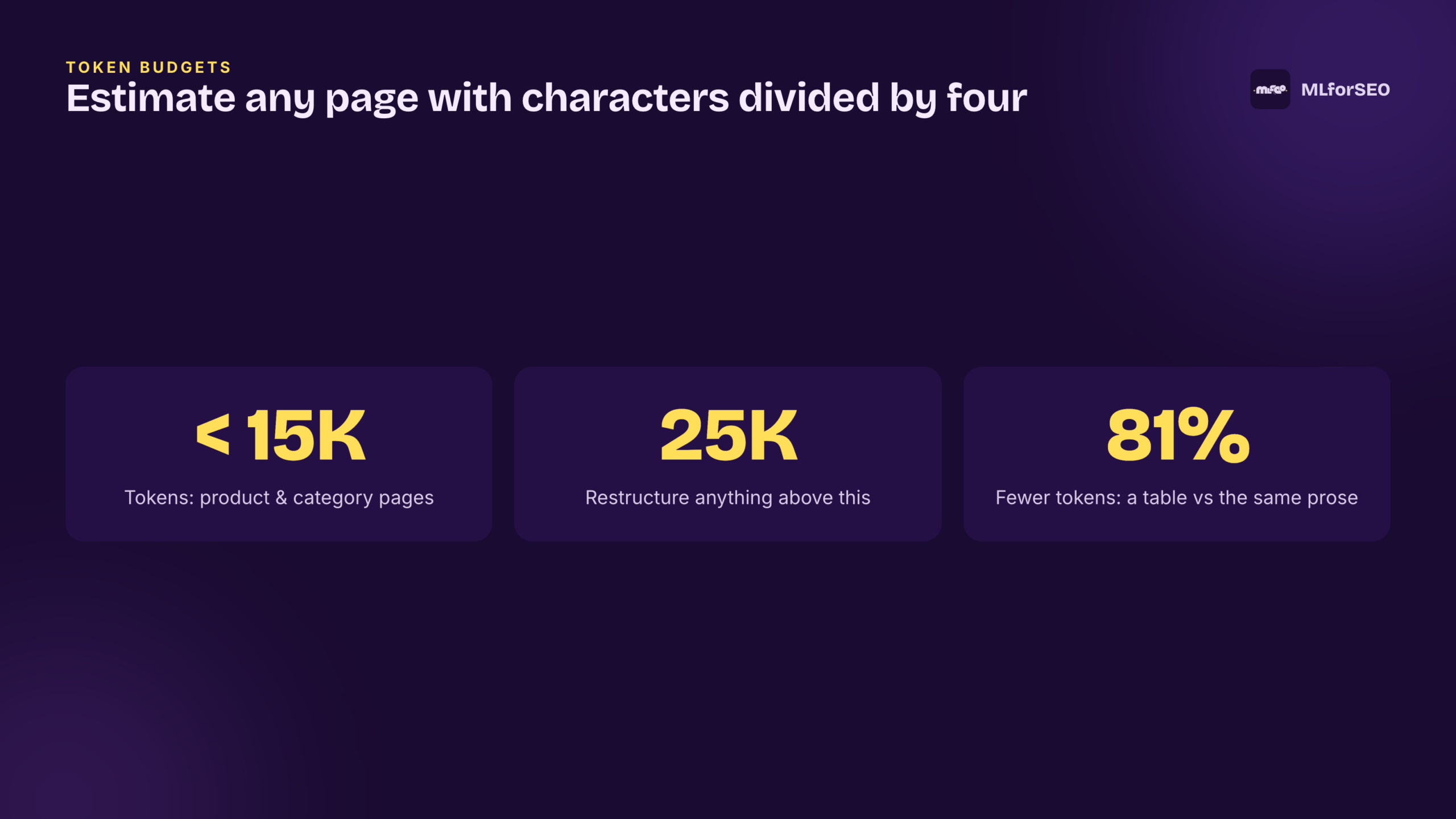
There is a companion move that pays for itself immediately, and it is the least glamorous sentence in this whole post: use tables. The same jacket sizing information written as prose costs around 800 tokens; as a table it costs around 150. That is an 81 percent reduction for identical information. A table is not a decoration anymore, it is the cheapest way to hand an agent structured facts it can extract without spending budget parsing your sentences. And the saving compounds — every table you convert leaves more of the budget for the pages and claims you actually want read, which is the whole point of measuring in the first place.
The number one silent killer: a robots.txt written for 2015
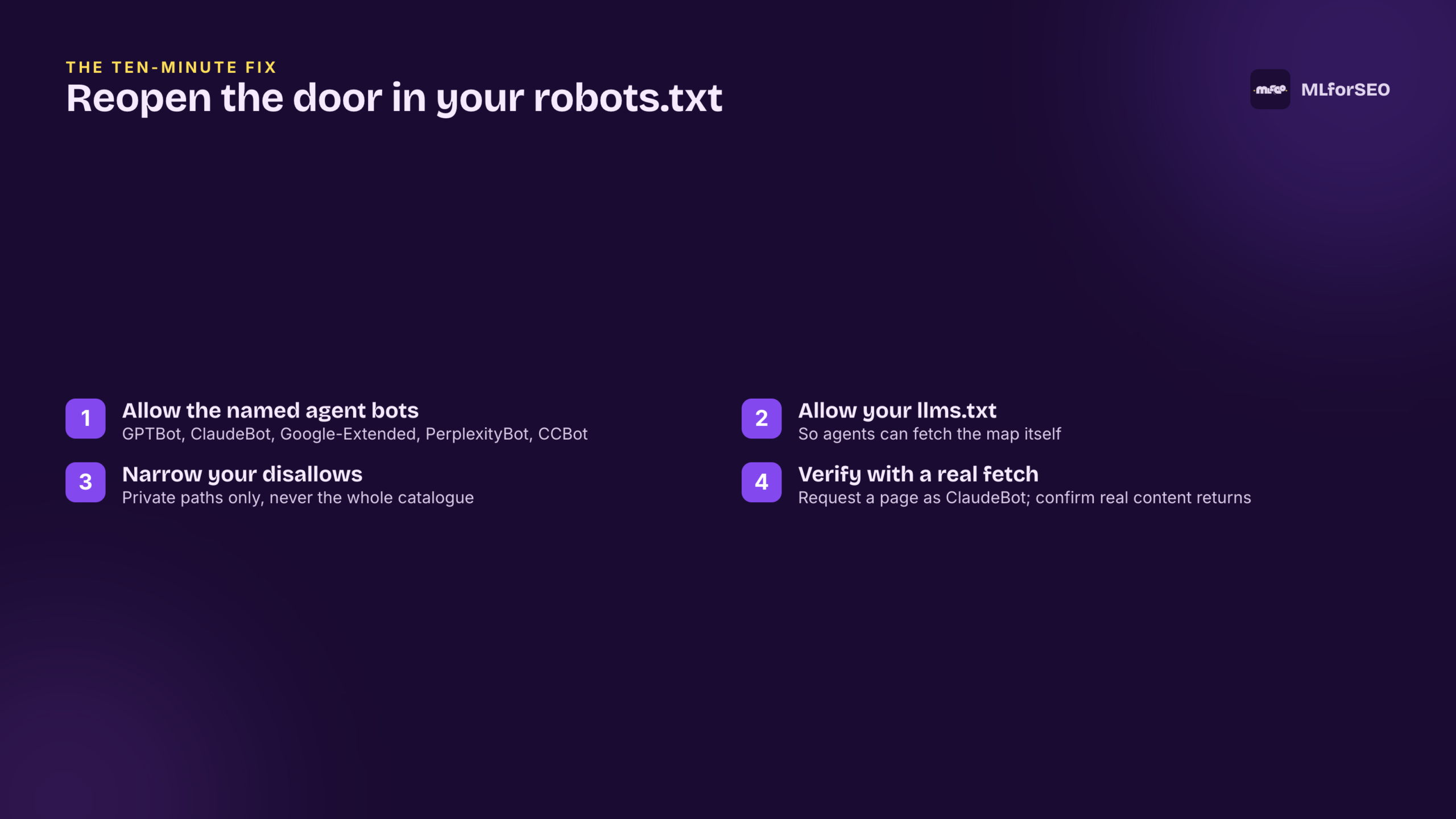
Now the file in the title. Most robots.txt files on the web were written years ago, for a world with one crawler that mattered. Some blanket-block everything and allow only Googlebot. Some were tightened during a scraping panic and now explicitly disallow AI bots. Either way the effect is the same and it is severe: the agent crawlers are turned away at the door, no content is ever fetched, and — you know the refrain by now — nothing is logged. A misconfigured robots.txt is the number one silent killer of agent traffic, and the tragedy of it is that the fix takes about ten minutes.
The agents you want to let in have names. OpenAI crawls as GPTBot. Anthropic as ClaudeBot. Google-Extended feeds Gemini and AI Overviews. Perplexity is PerplexityBot. Common Crawl, which feeds a great deal of training and retrieval, is CCBot. If your robots.txt does not name these explicitly, you are gambling on a default you have not checked. The fix is specific: add explicit allow rules for the agent crawlers, add an allow for your llms.txt, and keep your disallows narrow — private paths only, not your whole catalogue.
Do not take the file’s word for it either. Verify by fetching one of your own pages while sending the ClaudeBot user-agent string, and confirm you get real content back rather than a block page or an empty shell. Ten minutes of checking here can recover traffic that has been leaking, invisibly, for years.
llms.txt is the sitemap agents actually want
Once the door is open, agents still need a map. That is what llms.txt is: a Markdown file at yourdomain.com/llms.txt that does for agents what sitemap.xml did for crawlers, except it is built around how agents budget rather than how spiders discover. It is a hierarchical, task-organised index of your most important pages, each entry with an outcome-focused description and — this is the part that matters — a token count, so an agent can decide what to fetch before it spends any budget fetching it.
You can draft the first version this afternoon. List your top ten to fifteen pages, write a one-line description of what each lets someone accomplish, add an estimated token count per entry, organise it by task and intent rather than by your navigation menu, keep the whole file under about 5,000 tokens, and upload it to your root. It is an index, not content. The discipline is to describe outcomes, not to reproduce the pages.
There is a next layer beyond this that I will only tease here, because it is where the course goes deep: a file called skill.md that declares not where your content lives but what your product or service can actually do. In the worked example, adding it cuts an agent’s decision from around 45,000 to 75,000 tokens down to roughly 500 — up to a 150-times reduction — while lifting accuracy from the high seventies to the high nineties. That is not a rounding error. But llms.txt first: it is the foundation everything else stands on.
Write for a reader that extracts, not one that scans
The last shift is about the prose itself. Humans scan; they jump to a heading, skim, hunt for the bit they need. Agents do not scan, they read top to bottom extracting facts, and they stop when the budget runs out. Which means the single most valuable real estate on any page is the first hundred tokens. If your shipping and returns policy sits at token 2,000, an agent asked about your returns may have already left. Move it to tokens 0 to 100.
Front-load with an inverted pyramid: first hundred tokens a one-sentence summary, next two hundred what the reader will accomplish, next two hundred the prerequisites, then the deep explanation for anyone who keeps reading. Keep your heading hierarchy consistent with no skipped levels, and keep every specific fact immediately adjacent to the claim it supports. Then run the test I run on every page I touch: read only the first 500 tokens and ask, honestly, is that enough to act on? If it is not, an agent could not act on it either.
Where this goes next
So here is the shift. The problem was never that your content is bad. It is that your site was built for a visitor with eyes and patience, and the new visitor has neither — it has a token budget and a hard door. The four moves above are the ones you can start on this week without permission from anyone: measure your homepage, open your robots.txt, draft an llms.txt, front-load your five highest-value pages. That is enough to stop the bleeding.
It is not the whole build. Sequencing these into a coherent rollout — robots.txt and a first llms.txt in week one, skill.md and a Markdown endpoint in week two, page-by-page restructuring in week three — is the roadmap I hand you inside the course, with the token budgets, the bot reference table and the prevention checklist as working assets rather than screenshots. This is not a someday project. Once you can see the silent failures, you cannot unsee them. If you want the sibling pieces, trust isn’t a schema field covers how machines decide whether to believe you, and the five-stage retrieval funnel covers what actually survives the retrieval funnel.
Free templates from the course
▾ Language Model Visibility: 4-Week Roadmap▾ Agent SEO Implementation RoadmapMLforSEO Academy
Take your skills further — pick your path
AI Search Optimisation & Agentic SEO
by Beatrice Gamba
How agentic systems retrieve, evaluate and select — and how to become the source they cite.
View course →AI Search, LLMs, Entity SEO & Knowledge Graph Strategies
by Beatrice Gamba
Build the entity authority and knowledge-graph presence that makes AI recognise and trust your brand.
View course →Semantic ML-enabled Keyword Research
by Lazarina Stoy
Query understanding, search intent and semantic clustering for how people and AI really search.
View course →Introduction to Machine Learning for SEO
by Lazarina Stoy
Ship practical ML workflows — classification, clustering, entity extraction — no CS degree required.
View course →